How to Set Up ServerLinksZ on Your Minecraft Server
Fill the Server Links pause-menu section with your Discord, Website, Store, and Rules.
Fill the Server Links pause-menu section with your Discord, Website, Store, and Rules.
Minecraft 1.21 added a Server Links section to the pause menu, a place for a server to show links to its Website, Discord, Store, or any other link. ServerLinksZ is how you fill it in, and it adds quick commands like /discord as a cherry on top.
Requirements
- A Paper, Spigot, or Purpur server on Minecraft 1.21 or newer.
Installation
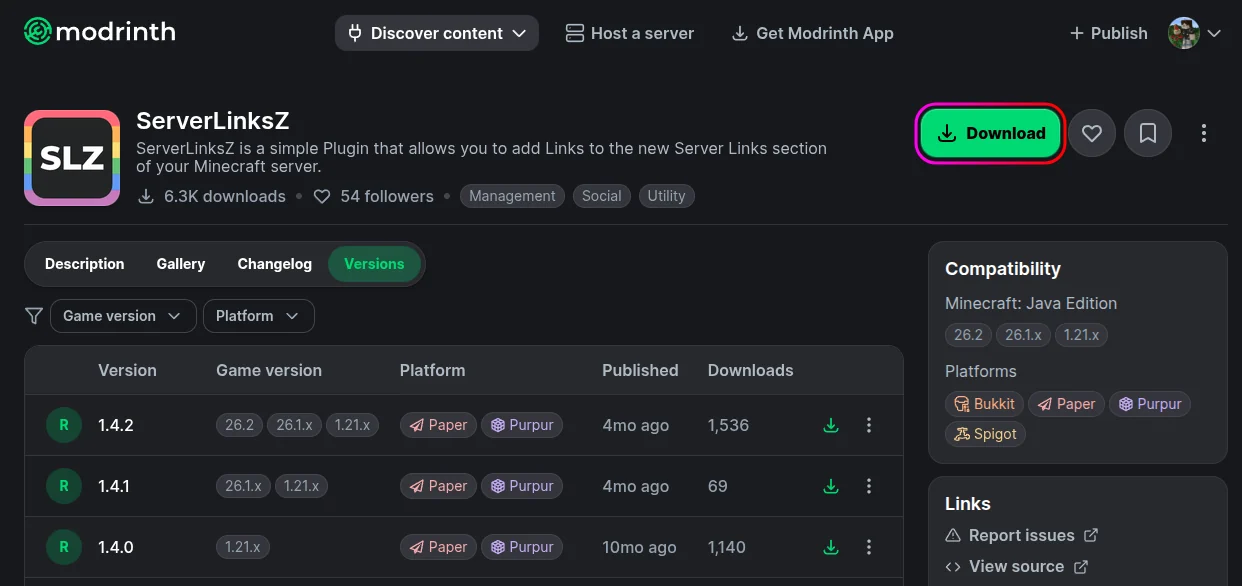
- Download ServerLinksZ from Modrinth.
- Stop your server from the MCServerHost dashboard.
- Upload the jar to
plugins/via the File Manager.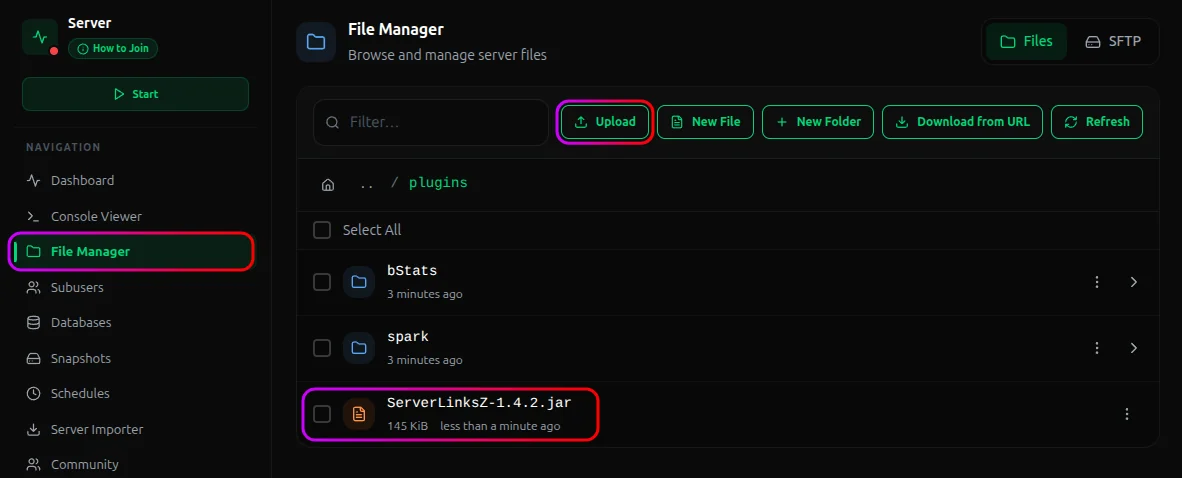
- Start the server. It generates its config on first run.
Adding Links
Add links in-game as an operator, or from the console:
/sl add discord "Discord" https://discord.gg/yourserver true
The pieces are: an id (discord), a display name ("Discord"), the URL, and whether to register a matching command (true gives you /discord).
| Command | What it does |
|---|---|
/sl add <id> <name> <url> <allowCommand?> |
Add a link |
/sl remove <id> |
Remove a link |
/sl reload |
Reload the config |
/sl help |
Show help |
/link <id> |
Open a link |
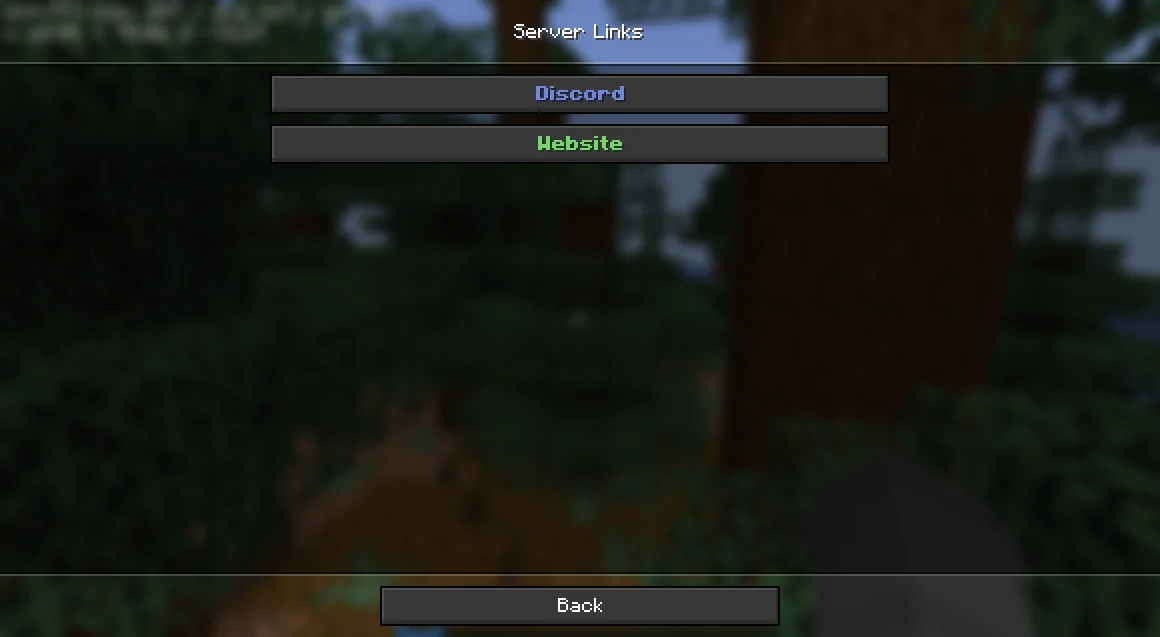
Players on 1.21+ see the links under Server Links in the pause menu. Any link you registered a command for is also reachable directly, like /discord.
Important Considerations
Only 1.21+ clients see the pause-menu links. The Server Links panel is a client feature added in 1.21. Players on older versions won't see the menu section, though the /discord-style commands still work for them.
Conclusion
Install ServerLinksZ, add your Discord, Website, and Store via /sl add, and get them right in the pause menu plus handy /discord-style commands. It's a small, polished touch that makes a server feel maintained.
If you run into issues on MCServerHost, join our Discord server or contact us at support@mcserverhost.com.
Related guides
- How to Ban, Kick and Mute Players on Your Minecraft Server: How to Ban, Kick and Mute Players on Your Minecraft Server at MCServerHost
- Resetting The End in Minecraft: Learn how to safely reset The End dimension without affecting the Overworld.
- How to Set Up InventoryRollbackPlus on Your Minecraft Server: Auto-back up player inventories so staff can restore items lost to lag, deaths, or griefing.
- How to Set Up GSit on Your Minecraft Server: Let players sit on stairs and slabs, lie down, crawl, and sit on each other.