How to Set Up GSit on Your Minecraft Server
Let players sit on stairs and slabs, lie down, crawl, and sit on each other.
Let players sit on stairs and slabs, lie down, crawl, and sit on each other.
GSit adds the feature players have always wanted: the ability to sit on stairs and slabs, lie down, or even hop onto another player. It does nothing to affect gameplay balance and everything to enhance the feel of a survival or roleplay server.
Requirements
- A Paper or Spigot server (1.16 or newer).
Installation
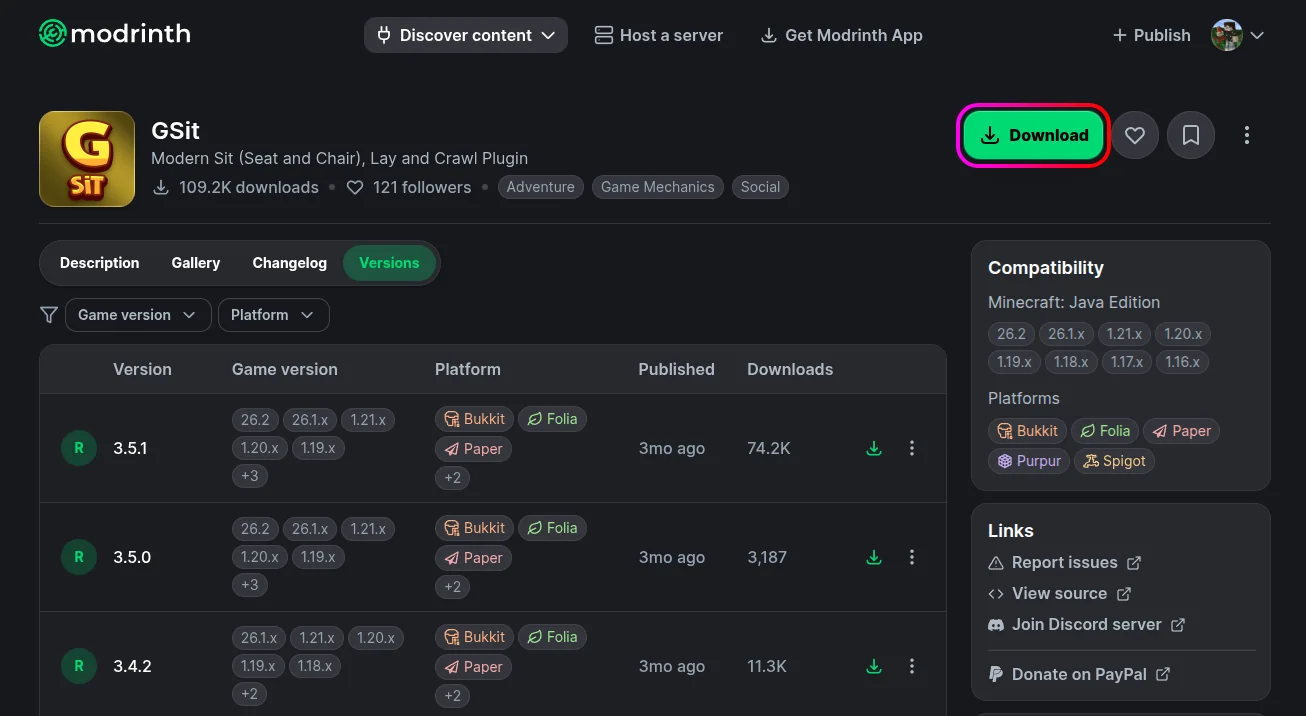
- Download GSit from Modrinth, Hangar, or SpigotMC.
- Stop your server from the MCServerHost dashboard.
- Upload the jar to
plugins/via the File Manager.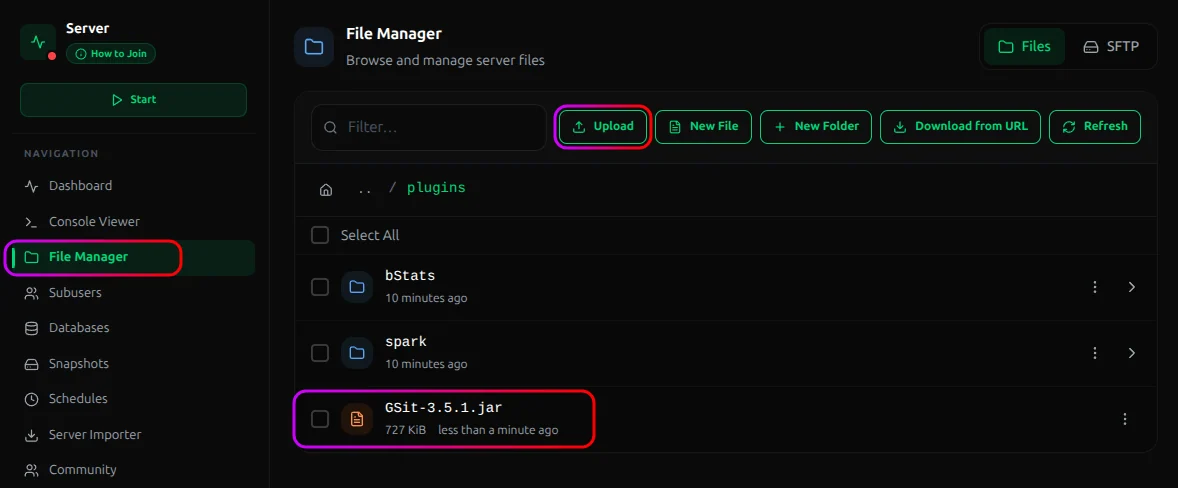
- Start the server. It generates its config on first run.
How to Use It
The headline feature needs no command at all: right-click the top of a stair, slab, or carpet and you sit down, facing the right way automatically. Click on another player to sit on them and stack up.
The rest are commands:
| Command | What it does |
|---|---|
/sit |
Sit where you're standing |
/lay |
Lie down |
/crawl |
Crawl along the ground (fit through 1-block gaps) |
/bellyflop |
Flop onto your front |
/spin |
Spin in place |
/gsitreload |
Reload the config |
Conclusion
Install one plugin and players can immediately sit on stairs, lie down, and crawl, with almost nothing to configure. It's a pure quality-of-life plugin that makes builds feel more comfortable to spend time in and roleplay servers far more fun.
If you run into issues on MCServerHost, join our Discord server or contact us at support@mcserverhost.com.
Related guides
- How to Ban, Kick and Mute Players on Your Minecraft Server: How to Ban, Kick and Mute Players on Your Minecraft Server at MCServerHost
- Resetting The End in Minecraft: Learn how to safely reset The End dimension without affecting the Overworld.
- How to Set Up ServerLinksZ on Your Minecraft Server: Fill the Server Links pause-menu section with your Discord, Website, Store, and Rules.
- How to Set Up InventoryRollbackPlus on Your Minecraft Server: Auto-back up player inventories so staff can restore items lost to lag, deaths, or griefing.