How to Set Up InventoryRollbackPlus on Your Minecraft Server
Auto-back up player inventories so staff can restore items lost to lag, deaths, or griefing.
Auto-back up player inventories so staff can restore items lost to lag, deaths, or griefing.
"I lost my whole inventory to lag" is one of the most common complaints a server gets. InventoryRollbackPlus takes automatic snapshots of player inventories on the events that matter most, so instead of telling the player there's nothing you can do, you can open a menu and restore exactly what they had.
Requirements
- A Paper or Spigot server.
Installation
- Download InventoryRollbackPlus from SpigotMC or Modrinth.
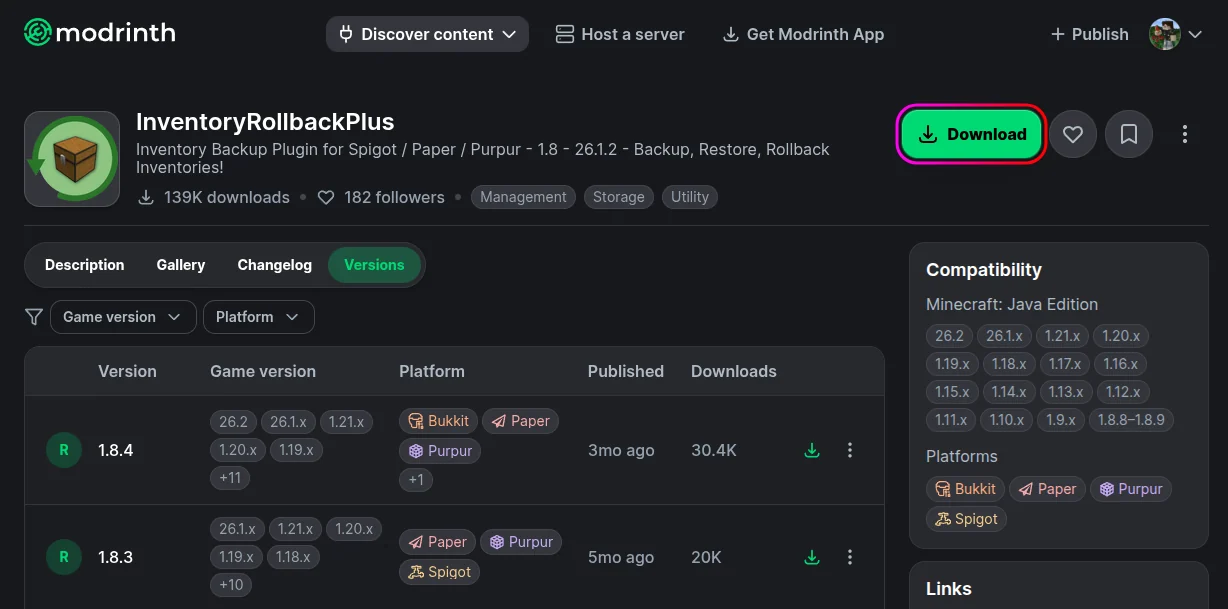
- Stop your server from the MCServerHost dashboard.
- Upload the jar to
plugins/via the File Manager.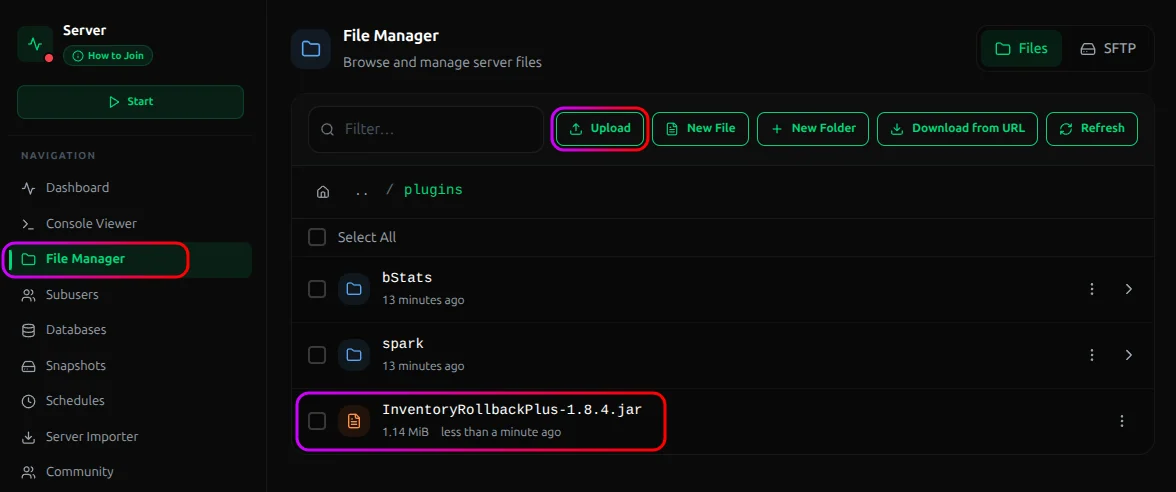
- Start the server. It generates its config and starts recording backups automatically.
What It Saves, and When
Each backup captures a player's inventory, ender chest, location, health, hunger, and XP. Snapshots are taken automatically on four events:
| Event | Default backups kept |
|---|---|
| Death | 50 |
| Join | 10 |
| Leave | 10 |
| World change | 10 |
All of that is configurable so you can keep more or fewer backups, or turn off any of the events entirely.
Restoring an Inventory
- Run
/irp restore <player>. - A menu opens listing that player's backups by event and time.
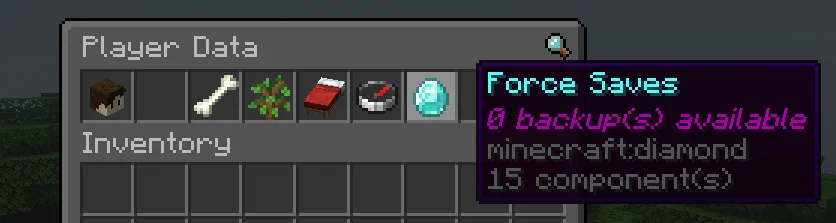
- Click a backup to inspect it, then restore it to the player.
| Command | What it does |
|---|---|
/irp restore [player] |
Open the backup menu for a player |
/irp forcebackup <all\|player> <name> |
Take a manual backup now |
/irp reload |
Reload the config |
/irp enable / /irp disable |
Turn backups on or off |
/irp help |
Command help |
/irp version |
Plugin version |
Permissions
The important nodes (all default to OP):
| Permission | Grants |
|---|---|
inventoryrollbackplus.restore |
Restore backups |
inventoryrollbackplus.viewbackups |
View backups without restoring |
inventoryrollbackplus.restore.teleport |
Teleport to a backup's location |
inventoryrollbackplus.forcebackup |
Take manual backups |
inventoryrollbackplus.reload |
Reload the config |
inventoryrollbackplus.adminalerts |
Receive admin alerts |
The deathsave, joinsave, leavesave, and worldchangesave nodes default to everyone. That's what makes the automatic backups happen. Don't strip those from your default group or you'll stop backing players up.
Conclusion
Install it and get quiet snapshots of inventories on death, join, leave, and world change. When someone loses their stuff, /irp restore <player>, pick the snapshot and done! It turns a painful "sorry, can't help" into a ten seconds fix.
If you run into issues on MCServerHost, join our Discord server or contact us at support@mcserverhost.com.
Related guides
- How to Ban, Kick and Mute Players on Your Minecraft Server: How to Ban, Kick and Mute Players on Your Minecraft Server at MCServerHost
- Resetting The End in Minecraft: Learn how to safely reset The End dimension without affecting the Overworld.
- How to Set Up ServerLinksZ on Your Minecraft Server: Fill the Server Links pause-menu section with your Discord, Website, Store, and Rules.
- How to Set Up GSit on Your Minecraft Server: Let players sit on stairs and slabs, lie down, crawl, and sit on each other.