How to Set Up PL-Hide on Your Minecraft Server
Stop players seeing your plugin list and clean up tab-completion of plugin commands.
Stop players seeing your plugin list and clean up tab-completion of plugin commands.
By default, any player can type /plugins (or /pl, or /bukkit:pl) and get a full list of everything you run. Tab-completion hands out even more. Start typing and the client suggests commands from every plugin, namespaced like essentials: and worldguard:. That lets anyone see exactly what's running behind your server. PL-Hide cleans all of it up.
Requirements
- A Paper or Spigot server.
Installation
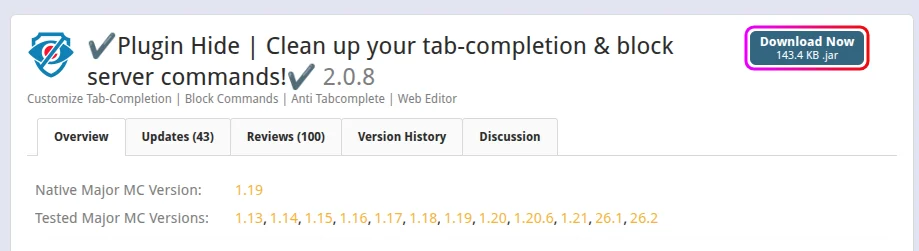
- Download Plugin Hide (PL-Hide) from SpigotMC.
- Stop your server from the MCServerHost dashboard.
- Upload the jar to
plugins/via the File Manager.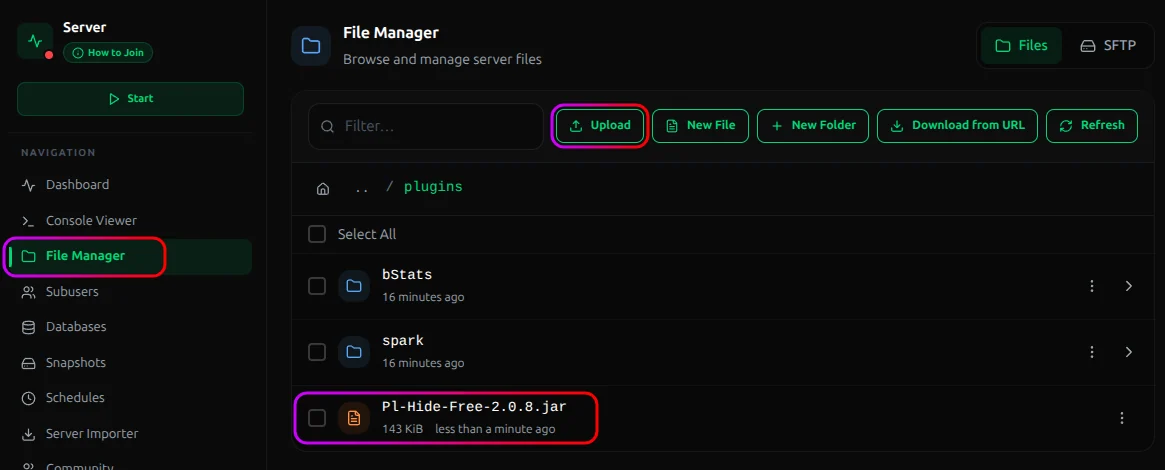
- Start the server. It generates its config on first run.
What It Does
Out of the box, PL-Hide:
- Hides or replaces
/pluginsand/ploutput so players can't list your plugins. You can give them a custom message instead, or block the command entirely. - Cleans tab-completion so the namespaced
plugin:commandsuggestions stop showing up when players hit Tab. - Blocks commands you don't want players running or seeing, with a custom message when they try.
How the Config Works
PL-Hide is built around lists of commands you allow or block, with two shortcuts that do most of the work:
*(wildcard). Allow everything at once, then blacklist the exceptions.!(negation): prefix a command to block it inside an otherwise-allowed group.
So a common pattern is "allow all commands except these few," written as a wildcard plus a handful of negated entries. Blocked commands return a custom message, and you can use placeholders like {player} and {cmd} in it.
Letting Staff See the Real List
You obviously still want to see your own plugins. Grant staff the bypass permission so /pl shows them the real list:
/lp group admin permission set plhide.bypass.pl-message true
Regular players get the hidden or custom version.
Conclusion
Install PL-Hide, hide the plugin list and clean up tab-completion. It's a tidy layer of obscurity on top of real security, not a substitute for it.
If you run into issues on MCServerHost, join our Discord server or contact us at support@mcserverhost.com.
Related guides
- How to Migrate your old MCServerHost account.: How to Migrate your old MCServerHost account to the new MCServerHost.
- How to Upload Files to Your MCServerHost Server: Learn how to upload files to your Minecraft server.
- Complete Guide to Server Snapshots on MCServerHost: Learn how MCServerHost Snapshots work, how they differ from backups, and how to create, manage, and restore them safely.
- How to Change the Gamemode on Your Minecraft Server: Set the default gamemode, force it on everyone, or change one player's mode.