How to Set Up FlectonePulse on Your Minecraft Server
Customize every chat message, join/quit notification, TAB list, and sidebar on your server with one plugin.
Customize every chat message, join/quit notification, TAB list, and sidebar on your server with one plugin.
Vanilla Minecraft's chat is bare-bones, there's no formatting, no channels, and you can't change the join/quit/death messages, or the Tab list. FlectonePulse allows you to change all of that easily. You decide what everything looks like, who sees them, and when.
What is FlectonePulse?
It's a message customization-based plugin that lets you change most things you need: Chat, Tab list, Scoreboard, MOTD, every Minecraft message, and lets you customize it based on a player's language, and that's only a fraction of what the plugin offers. It includes over 40 commands and has built-in integrations with Discord, Telegram, or Twitch.
Requirements
- A Fabric or Bukkit-based server. Fabric and all Bukkit-based server software are supported down to 1.8.8. Vanilla, Forge, and NeoForge servers are not supported.
- LuckPerms is worth adding if you want rank prefixes and control what commands players can run.
- PacketEvents if you're running a Fabric server.
Installation
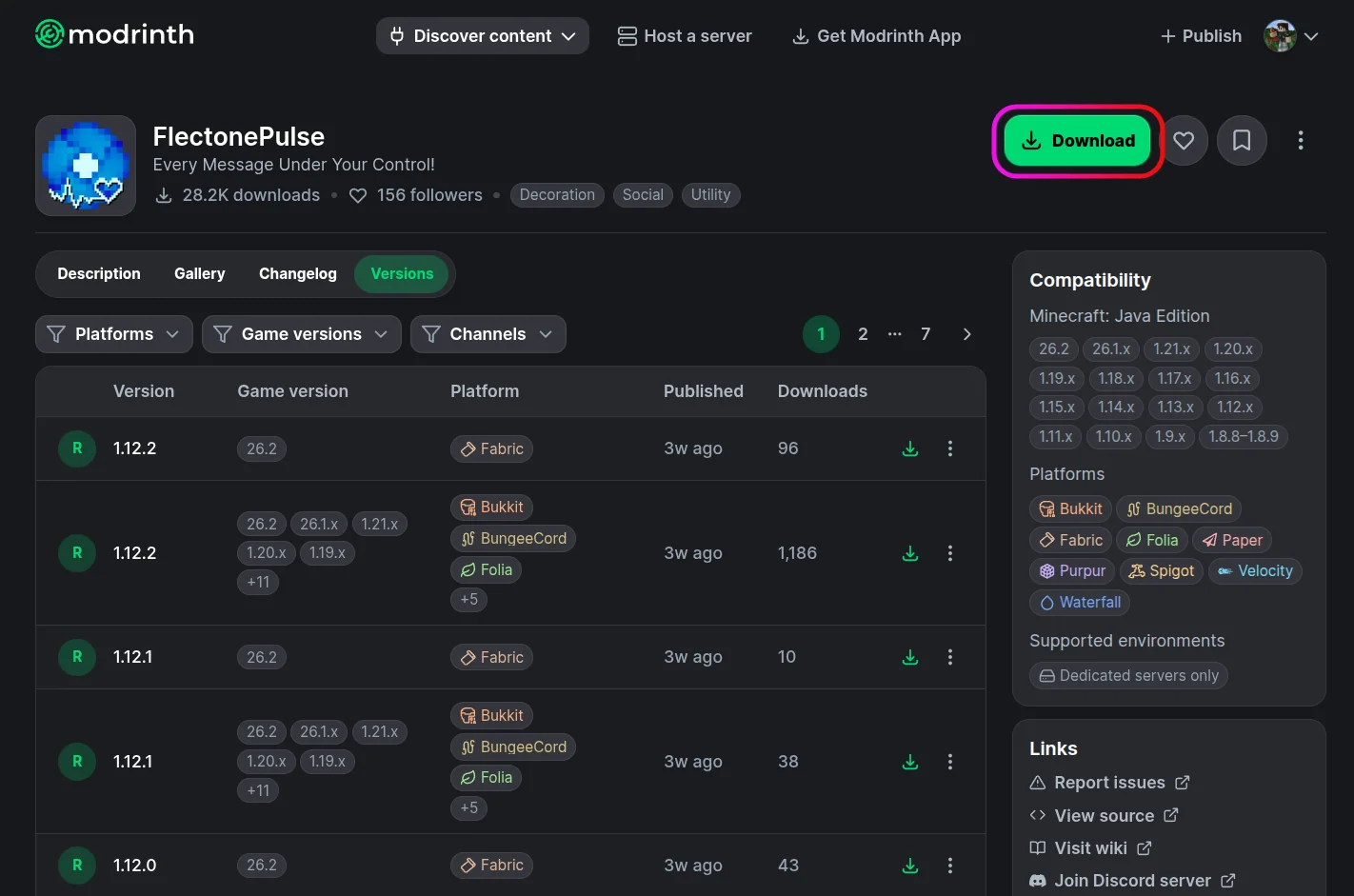
- Download the latest version of FlectonePulse from Modrinth.
- Go to your server dashboard and stop your server.
- Open the File Manager, go to the
pluginsormodsfolder, and uploadFlectonePulse.jar.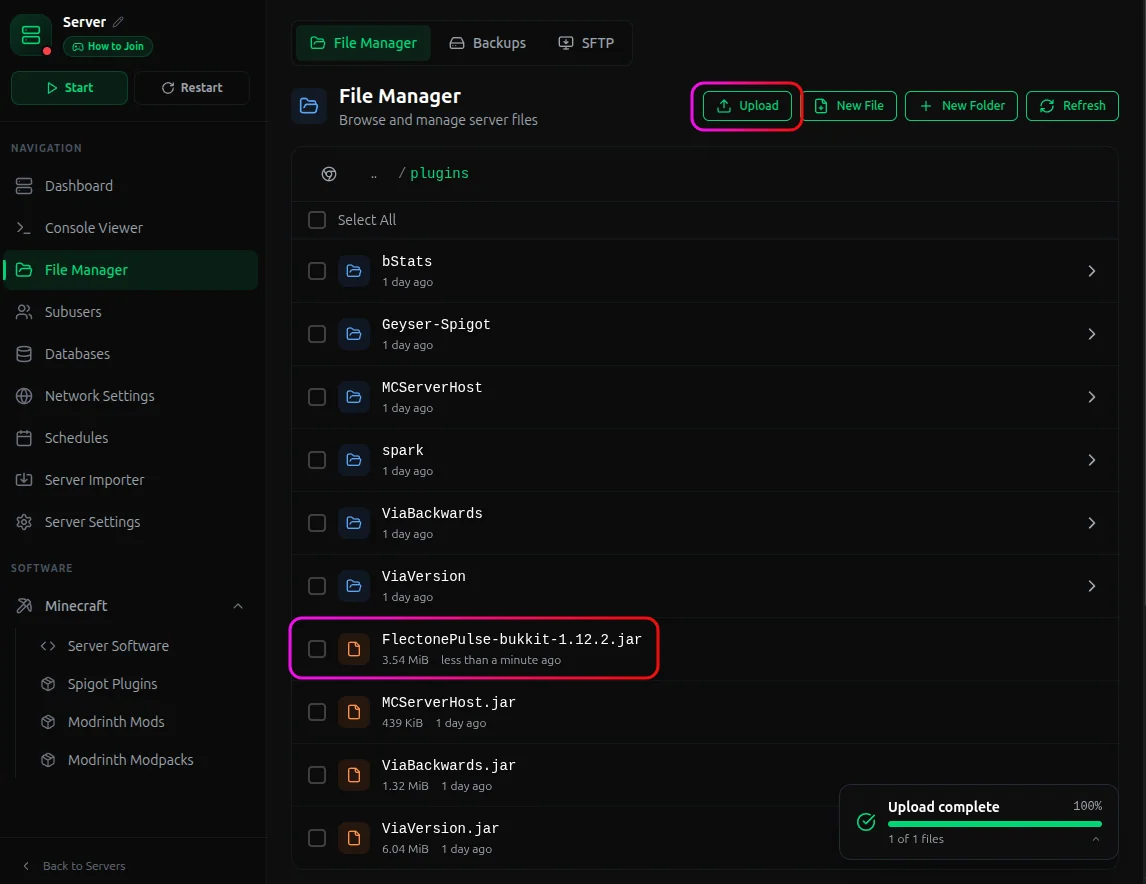
- Start the server, wait for it to boot, and the freedom of customization is now unlocked!
You'll get a FlectonePulse folder in plugins/ with these files:
| File | What it controls |
|---|---|
config.yml |
Database, language, proxy mode, cache |
command.yml |
Enable/disable and configure individual commands |
message.yml |
Every message module, including chat channels, join/quit, TAB, sidebar, and MOTD |
integration.yml |
Discord, Telegram, Twitch, and plugin integrations |
permission.yml |
Permissions for every feature |
localizations/*.yml |
The actual message text, one file per language |
Start with message.yml for behavior and localizations/en_us.yml for the text players see.
For the full command and permission reference, visit the FlectonePulse docs.
Important Considerations
FlectonePulse intercepts all chat events, so running it alongside EssentialsXChat, DiscordSRV, or another chat formatter will cause conflicts. If you need that setup to work anyway, set mode: "BUKKIT" and priority: "HIGHEST" in the chat module. That resolves issues with most plugins.
Most changes take effect after /flectonepulse reload, but anything in config.yml (database, proxy mode) requires a full restart.
On BungeeCord or Velocity, install FlectonePulse on the proxy and each backend server. Enable proxy mode in config.yml on the backend servers, otherwise range: "PROXY" on modules like join/quit won't work correctly.
For everything beyond what's covered here, the full reference is at flectone.net/pulse/docs. If you run into issues on MCServerHost, join our Discord server or reach us at support@mcserverhost.com.
Related guides
- How to Ban, Kick and Mute Players on Your Minecraft Server: How to Ban, Kick and Mute Players on Your Minecraft Server at MCServerHost
- Resetting The End in Minecraft: Learn how to safely reset The End dimension without affecting the Overworld.
- How to Set Up ServerLinksZ on Your Minecraft Server: Fill the Server Links pause-menu section with your Discord, Website, Store, and Rules.
- How to Set Up InventoryRollbackPlus on Your Minecraft Server: Auto-back up player inventories so staff can restore items lost to lag, deaths, or griefing.