How to Set Up CustomDiscs on Your Minecraft Server
Play your own audio through in-game jukeboxes using Simple Voice Chat.
Play your own audio through in-game jukeboxes using Simple Voice Chat.
Vanilla has a fixed set of music discs. CustomDiscs lets you make your own. Load an audio file (or a YouTube/SoundCloud link), turn it into a disc, and it plays out of a jukebox as positional audio through Simple Voice Chat. Great for custom hubs, jukebox bars, or letting players bring their own tracks.
The catch: it plays audio through Simple Voice Chat, so every player who wants to hear it needs the Simple Voice Chat client mod installed. No mod, no sound.
Requirements
- A Paper, Spigot, or Purpur server.
- Simple Voice Chat: installed on the server, and on each player's client. This is the audio backend.
- PacketEvents: a required library.
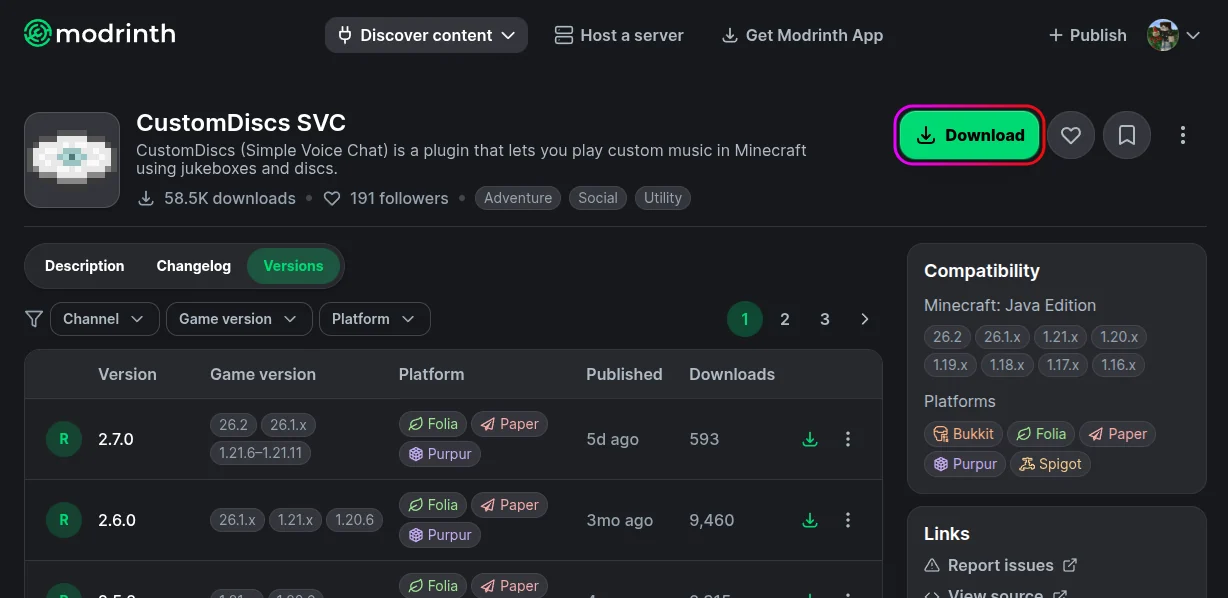
- CustomDiscs SVC from Modrinth.
Installation
- Download CustomDiscs SVC, Simple Voice Chat, and PacketEvents.
- Stop your server from the MCServerHost dashboard.
- Upload all three jars to
plugins/via the File Manager.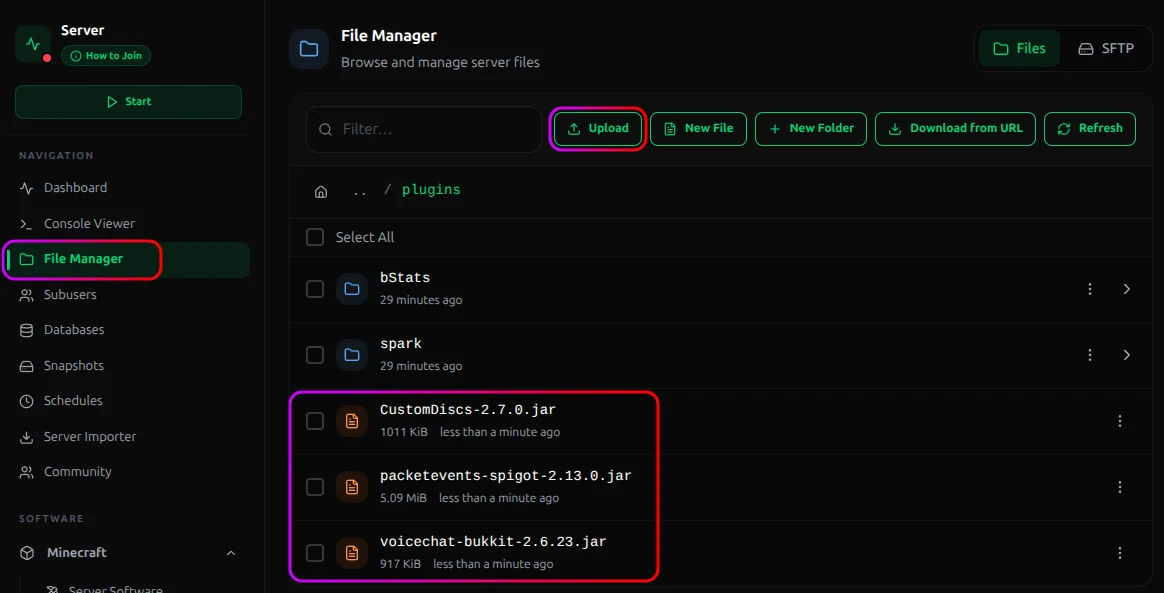
- Start the server so the plugin generate their configs.
If Simple Voice Chat isn't set up yet, do that first. CustomDiscs is useless without a working voice chat backend.
Making a Disc
You need an audio file (MP3, WAV, or FLAC) on the server, or a link to stream from.
From a file:
Upload your audio to Files Manager >
plugins/CustomDiscs/musicdata/via the File Manager.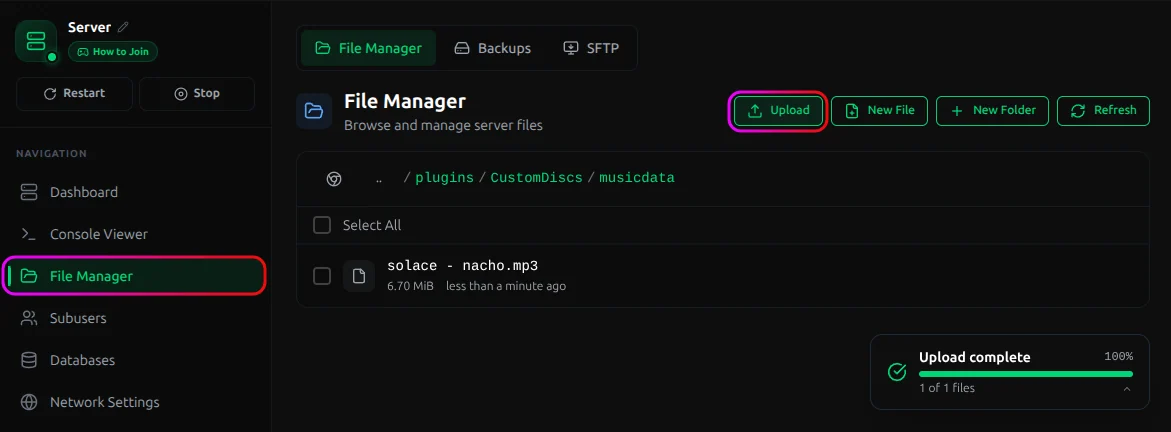
Hold a normal music disc in-game and run:
/cd create local <filename> "<disc name>"That converts the disc you're holding into your custom track.
From a link (YouTube/SoundCloud):
/cd create remote "<URL>" "<disc name>"
Or download a file straight to the server:
/cd download "<URL>" <filename>
Then just pop the disc into a jukebox to play it.
Commands & Permissions
| Command | Permission |
|---|---|
/cd help |
customdiscs.help |
/cd reload |
customdiscs.reload |
/cd download "<URL>" <filename> |
customdiscs.download |
/cd create local <filename> "<name>" |
customdiscs.create.local |
/cd create remote "<URL>" "<name>" |
customdiscs.create.remote |
/cd distance <radius> |
customdiscs.distance |
customdiscs.* grants everything. The config.yml controls playback radius, master volume, max download size, track length limits, and the YouTube/SoundCloud provider settings.
Conclusion
Install CustomDiscs alongside Simple Voice Chat and PacketEvents, drop audio into musicdata, and turn discs into your own tracks with /cd create. Just remember the hard requirement: listeners need the Simple Voice Chat client mod, or they hear silence.
If you run into issues on MCServerHost, join our Discord server or contact us at support@mcserverhost.com.
Related guides
- How to Ban, Kick and Mute Players on Your Minecraft Server: How to Ban, Kick and Mute Players on Your Minecraft Server at MCServerHost
- Resetting The End in Minecraft: Learn how to safely reset The End dimension without affecting the Overworld.
- How to Set Up ServerLinksZ on Your Minecraft Server: Fill the Server Links pause-menu section with your Discord, Website, Store, and Rules.
- How to Set Up GSit on Your Minecraft Server: Let players sit on stairs and slabs, lie down, crawl, and sit on each other.