How to Set Up ChatSentinel on Your Minecraft Server
Block swearing, spam, caps, and advertising in chat automatically.
Block swearing, spam, caps, and advertising in chat automatically.
Public chat gets messy fast. Spam, all-caps shouting, server ads, and language you don't want in front of your community. ChatSentinel filters all of it automatically, out of the box, so your moderators aren't stuck cleaning up chat all day.
Requirements
- A Paper or Spigot server (also works on BungeeCord and Velocity).
Installation
- Download ChatSentinel from Modrinth or SpigotMC.
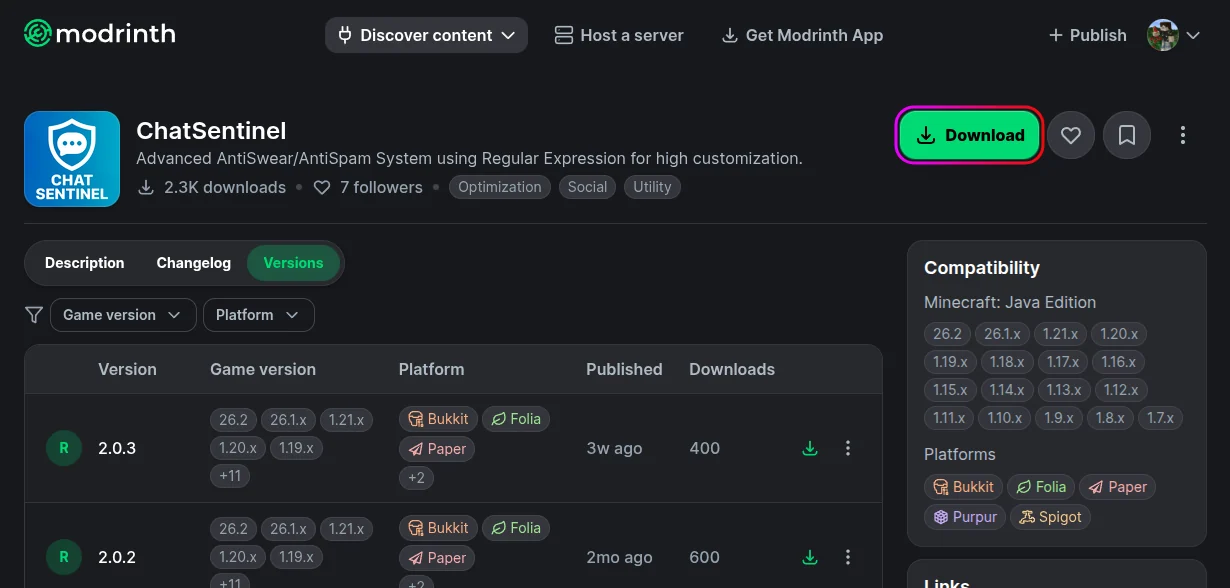
- Stop your server from the MCServerHost dashboard.
- Upload the jar to
plugins/via the File Manager.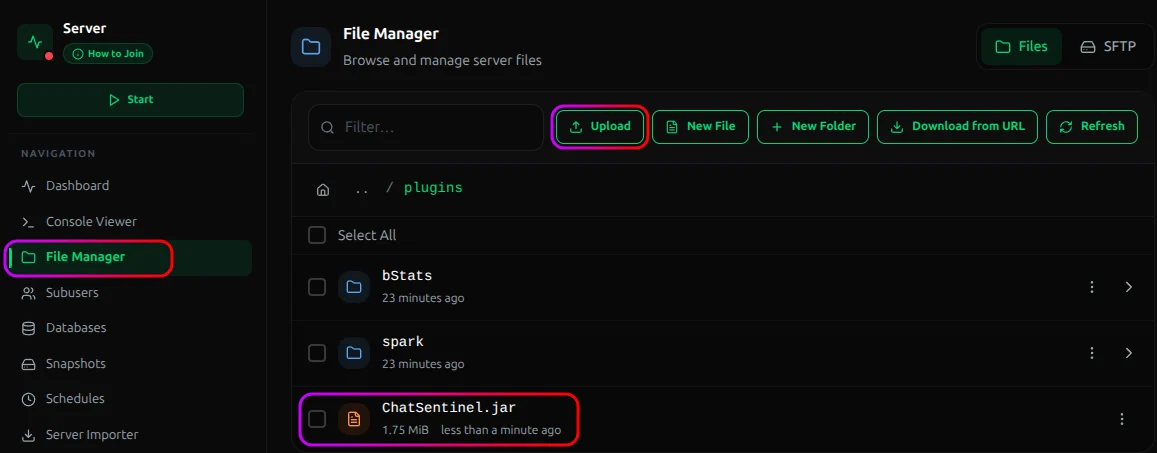
- Start the server. It generates its config with sensible defaults and starts filtering right away.
What It Catches
ChatSentinel runs several filter modules, each of which you can tune or turn off:
| Module | Catches |
|---|---|
| Swear | Offensive language from a configurable word list |
| Spam | The same message sent over and over |
| Flood | Messages sent too quickly |
| Caps | Excessive capital letters |
| Advertising | IPs and links to other servers |
| Blacklist | Any custom words or patterns you add |
When a filter trips, it can warn, cancel the message, or run a punishment. All configurable per module.
Important Considerations
- Tune the swear list to your community. The default word list is a starting point. Over-filtering catches innocent words (the classic "Scunthorpe" problem); under-filtering lets things through. Expect to adjust it once you see what your players actually type.
- The ad filter can catch legitimate messages. Blocking IPs and links stops server advertising, but it can also block a player sharing a helpful link. Decide whether that trade-off fits your server, and whitelist trusted ranks if needed.
- It's chat moderation, not a ban system. ChatSentinel cleans up messages and can hand out punishments, but for managing actual bans and mutes you'll still want a proper moderation setup.
Conclusion
Install it and your chat is protected against spam, caps, ads, and swearing immediately, no configuration required to get started. Tune the word list and the ad filter to fit your community, give staff the bypass, and let it handle the noise.
If you run into issues on MCServerHost, join our Discord server or contact us at support@mcserverhost.com.
Related guides
- How to Ban, Kick and Mute Players on Your Minecraft Server: How to Ban, Kick and Mute Players on Your Minecraft Server at MCServerHost
- Resetting The End in Minecraft: Learn how to safely reset The End dimension without affecting the Overworld.
- How to Set Up ServerLinksZ on Your Minecraft Server: Fill the Server Links pause-menu section with your Discord, Website, Store, and Rules.
- How to Set Up GSit on Your Minecraft Server: Let players sit on stairs and slabs, lie down, crawl, and sit on each other.