How to Set Up ChatFeelings on Your Minecraft Server
Give players emote commands like /hug, /highfive, and /poke to interact with each other.
Give players emote commands like /hug, /highfive, and /poke to interact with each other.
Chat on its own is just text. ChatFeelings adds a set of social commands (/hug, /slap, /poke, /highfive, and a stack of others) so players can interact with each other with a bit more personality. It's a small plugin that does a surprising amount for the feel of a community server.
Requirements
- A Paper or Spigot server (1.13 or newer).
- LuckPerms: optional, only needed if you want to control which feelings each rank can use.
Installation
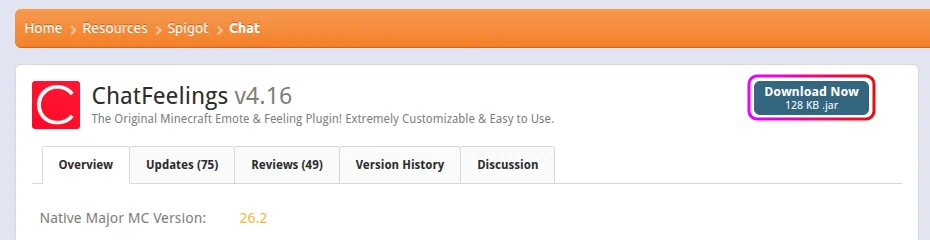
- Download ChatFeelings from SpigotMC or CurseForge.
- Stop your server from the MCServerHost dashboard.
- Upload the jar to
plugins/via the File Manager.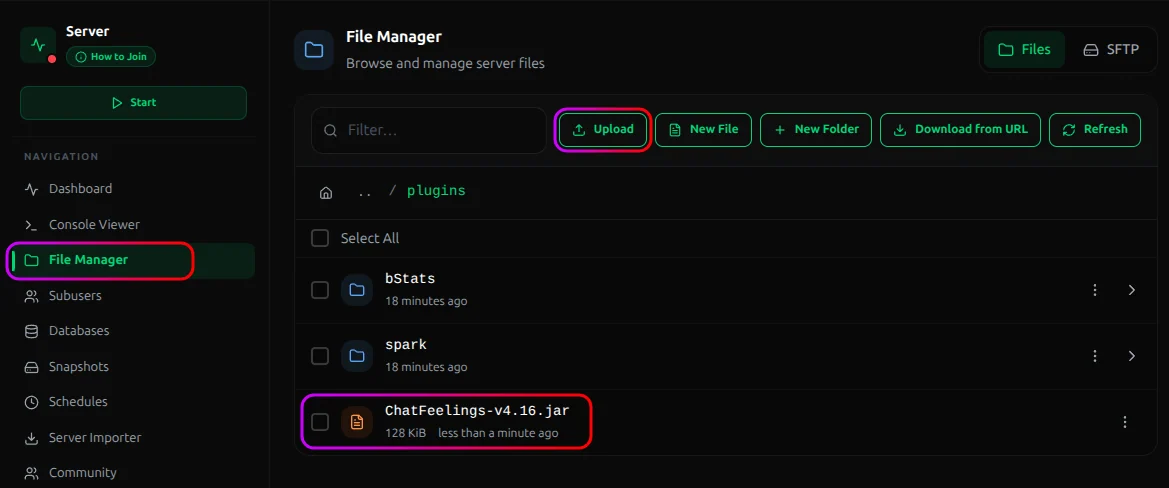
- Start the server. ChatFeelings generates its config on first run.
The Feelings
Players target another player, like /hug Steve, or leave the name off to act generally. The set includes:
/hug <player>
/highfive <player>
/poke <player>
/kiss <player>
/yell <player>
/dab <player>
/slap <player>
/punch <player>
/bite <player>
/stab <player>
A few of them (slap, punch, bite, stab) do a small amount of real damage to the target. Good for fun, worth knowing before someone uses /stab to finish off a player on low health.
Controlling Access
By default the feelings are open to everyone. To lock them down by rank, set Use-Feeling-Permissions: true in the ChatFeelings config.yml first. Permissions are ignored until you do. Then grant nodes with LuckPerms:
| Permission | Grants |
|---|---|
chatfeelings.all |
Every feeling |
chatfeelings.<feeling> |
One specific feeling, e.g. chatfeelings.hug |
For example, to give everyone the harmless ones but keep the damaging feelings to staff:
/lp group default permission set chatfeelings.hug true
/lp group default permission set chatfeelings.highfive true
Conclusion
Drop in the jar and players immediately get a set of social emotes and edit the messages to fit your server. Small plugin, real effect on how a community feels.
If you run into issues on MCServerHost, join our Discord server or contact us at support@mcserverhost.com.
Related guides
- How to Ban, Kick and Mute Players on Your Minecraft Server: How to Ban, Kick and Mute Players on Your Minecraft Server at MCServerHost
- Resetting The End in Minecraft: Learn how to safely reset The End dimension without affecting the Overworld.
- How to Set Up ServerLinksZ on Your Minecraft Server: Fill the Server Links pause-menu section with your Discord, Website, Store, and Rules.
- How to Set Up GSit on Your Minecraft Server: Let players sit on stairs and slabs, lie down, crawl, and sit on each other.