How to Get a Custom Tab
Customize your TAB list, nametags, scoreboard, header/footer, and BossBar from one plugin.
Customize your TAB list, nametags, scoreboard, header/footer, and BossBar from one plugin.
The default Minecraft TAB list shows players in random order, no formatting, no header or footer, and no rank prefixes. TAB by NEZNAMY takes over all of that: the TAB list, nametags, header/footer text, scoreboard sidebar, and BossBar, in one plugin instead of four separate ones conflicting over packets.
Requirements
- A Paper or Spigot server, or a BungeeCord/Velocity proxy
- LuckPerms (needed for automatic rank-based prefixes)
- PlaceholderAPI (optional, enables placeholders from other plugins)
Installation
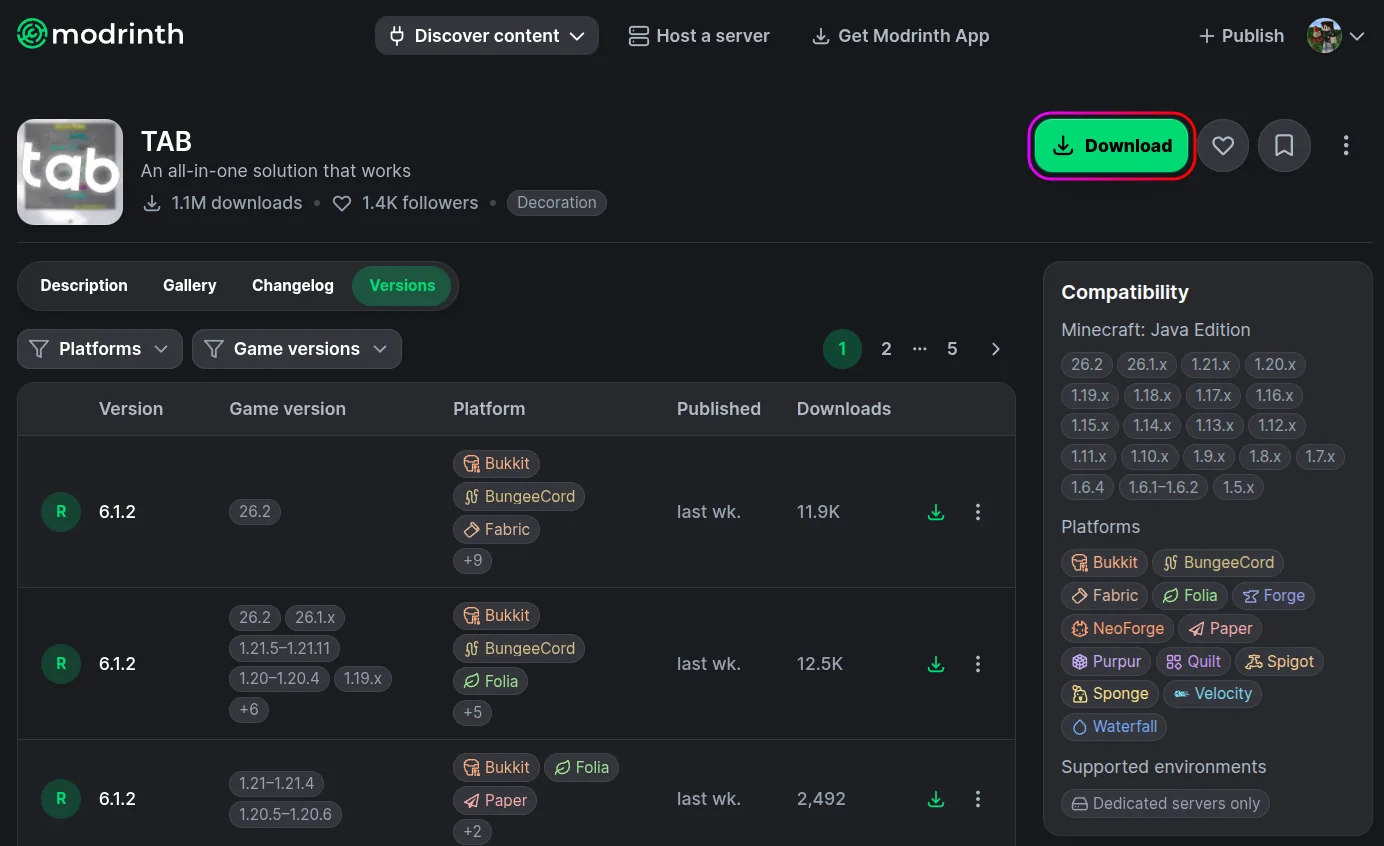
- Download TAB from Modrinth or HangarMC.
- Stop your server from the MCServerHost dashboard.
- Upload the download file to
plugins/via the File Manager.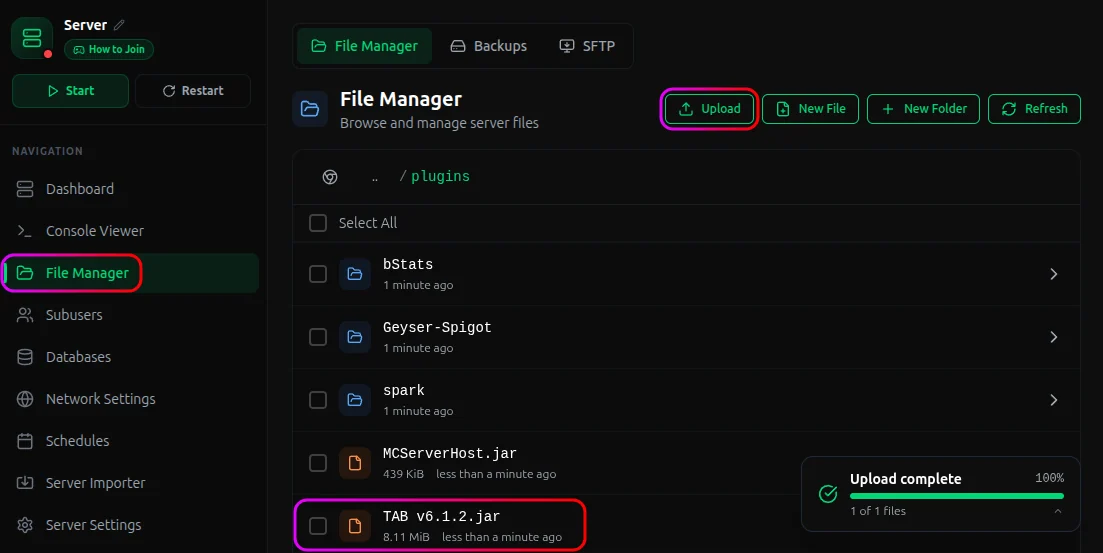
- Start your server. TAB generates its config files on first run.
Inside plugins/TAB/ you'll find:
plugins/TAB/
├── config.yml
├── groups.yml
└── users.yml
What Each File Does
config.yml - TAB list, nametags, header/footer, scoreboard, BossBar, sorting (each has enabled toggle)
groups.yml - tabprefix/tabsuffix -> TAB list | tagprefix/tagsuffix -> above heads | maps to LuckPerms groups
users.yml - per-player overrides of groups.yml, target by username or UUID
Run /tab reload after editing any file.
Commands & Permissions
| Command | What it does |
|---|---|
/tab reload |
Reloads all config files |
/tab group [name] [property] [value] |
Set a property for a group |
/tab player [name] [property] [value] |
Set a property for a specific player |
/tab cpu |
Shows plugin CPU usage |
For the full feature reference (animations, conditional placeholders, sorting, per-world settings, proxy setup) visit the TAB wiki.
Important Considerations
- Conflicts. TAB uses scoreboard teams for nametag sorting. Plugins that also manage teams (glow, disguise, some anticheat) will conflict. The wiki has compatibility guides.
- Proxy setups. Install TAB on the proxy. Use
%vault_prefix%via PlaceholderAPI for cross-server LuckPerms prefixes instead of%luckperms-prefix%, which only works on the same server instance. - Nicknames. Put the nickname placeholder in
customtabname, nottabprefix. Usingtabprefixshows the name twice.
Conclusion
TAB is something you configure once and forget about. Most setups only need groups.yml edits to get prefixes and sorting working.
If you run into any issues on MCServerHost, join our Discord server or reach us at support@mcserverhost.com.
Related guides
- How to Ban, Kick and Mute Players on Your Minecraft Server: How to Ban, Kick and Mute Players on Your Minecraft Server at MCServerHost
- Resetting The End in Minecraft: Learn how to safely reset The End dimension without affecting the Overworld.
- How to Set Up ServerLinksZ on Your Minecraft Server: Fill the Server Links pause-menu section with your Discord, Website, Store, and Rules.
- How to Set Up InventoryRollbackPlus on Your Minecraft Server: Auto-back up player inventories so staff can restore items lost to lag, deaths, or griefing.