How to Fully Customize Your Server MOTD
Customize your server list MOTD, favicon, player count, and hover text with multiple switchable profiles.
Customize your server list MOTD, favicon, player count, and hover text with multiple switchable profiles.
The server list entry (MOTD, player count, favicon, hover text) is the first thing anyone sees before connecting. By default you're limited to a static MOTD in server.properties. AdvancedServerList gives you full control over all of it: multiple profiles that switch based on conditions, MiniMessage formatting, and per-player customization using cached IP data.
Requirements
- A Paper server (1.20+), or a BungeeCord/Waterfall/Velocity proxy
- PlaceholderAPI (optional, enables placeholders from other plugins in profiles)
Installation
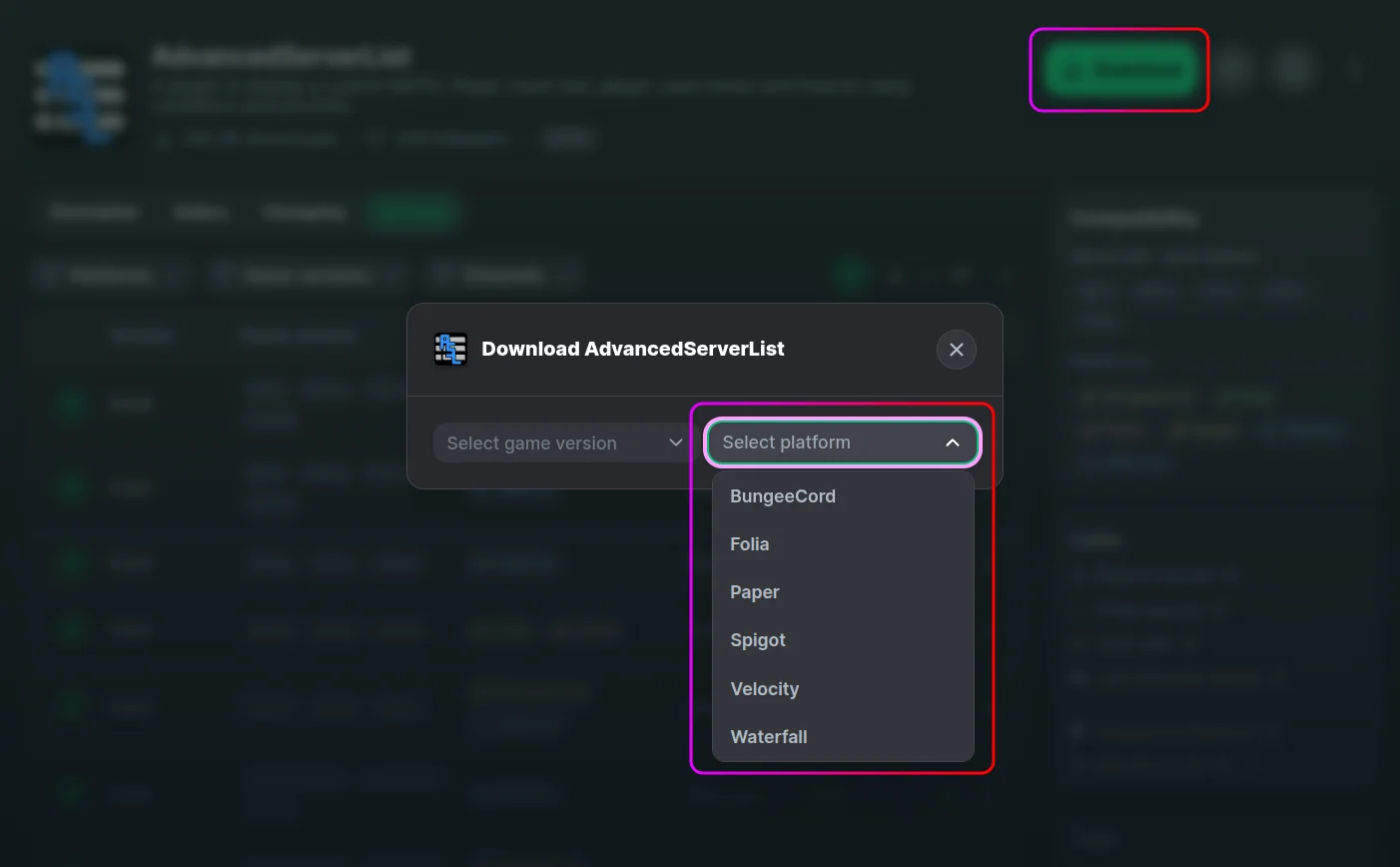
- Download the plugin for your platform from Modrinth.
- Stop your server from the MCServerHost dashboard.
- Upload the jar to
plugins/via the File Manager.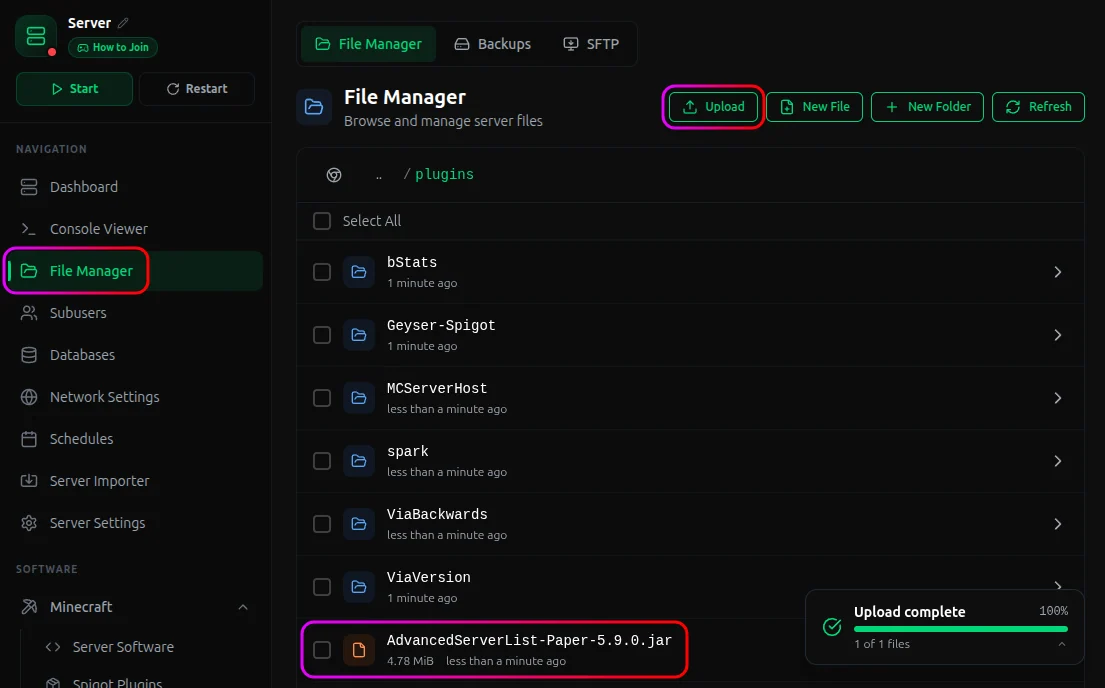
- Start your server. AdvancedServerList generates the following structure:
plugins/AdvancedServerList/
├── favicons/
├── profiles/
│   └── default.yml
└── config.yml
What Each File Does
profiles/default.yml configures your server list appearance. Each file in profiles/ is a separate profile. The plugin picks the one with the highest priority whose condition returns true. Every profile can set:
motd: up to two lines, full MiniMessage formatting including gradients and RGB colorsfavicon: a PNG fromfavicons/, a direct URL, or a player username to show their headplayerCount: hide the count, replace the hover list, set custom numbers, or add an offset to the maxcondition: an expression that must be true for the profile to activate (e.g. show a different MOTD to banned players)priority: higher number = checked first
favicons/ is where you drop PNG images to use as server icons. Reference them by filename in any profile.
config.yml controls plugin-level settings: player caching, update checks, favicon cache duration, and what to disable during Maintenance mode.
After editing any profile, run /asl reload to apply changes without a restart.
Commands & Permissions
| Command | What it does |
|---|---|
/asl reload |
Reloads all profiles |
/asl profiles add [name] |
Creates a new empty profile file |
/asl clearcache |
Clears the player IP/UUID cache |
For the full profile option reference, conditions, expressions, and placeholder list, visit the AdvancedServerList wiki.
Conclusion
AdvancedServerList takes five minutes to set up and immediately makes your server look more polished in the multiplayer list. Start with default.yml, set a custom MOTD and favicon, then add more profiles as you need them.
If you run into any issues on MCServerHost, join our Discord server or reach us at support@mcserverhost.com.
Related guides
- How to Ban, Kick and Mute Players on Your Minecraft Server: How to Ban, Kick and Mute Players on Your Minecraft Server at MCServerHost
- Resetting The End in Minecraft: Learn how to safely reset The End dimension without affecting the Overworld.
- How to Set Up ServerLinksZ on Your Minecraft Server: Fill the Server Links pause-menu section with your Discord, Website, Store, and Rules.
- How to Set Up InventoryRollbackPlus on Your Minecraft Server: Auto-back up player inventories so staff can restore items lost to lag, deaths, or griefing.