How to Analyze & Share Your Minecraft Server Logs
Paste your log into mcsh.tools, hit Analyze, and get a shareable link in seconds.
Paste your log into mcsh.tools, hit Analyze, and get a shareable link in seconds.
Server logs can get long fast, and sharing them manually is a pain. mcsh.tools/logs lets you analyze your logs, redact anything sensitive, and get a shareable link in seconds.
Downloading Your Log File
Log in to your MCServerHost dashboard and open the File Manager.
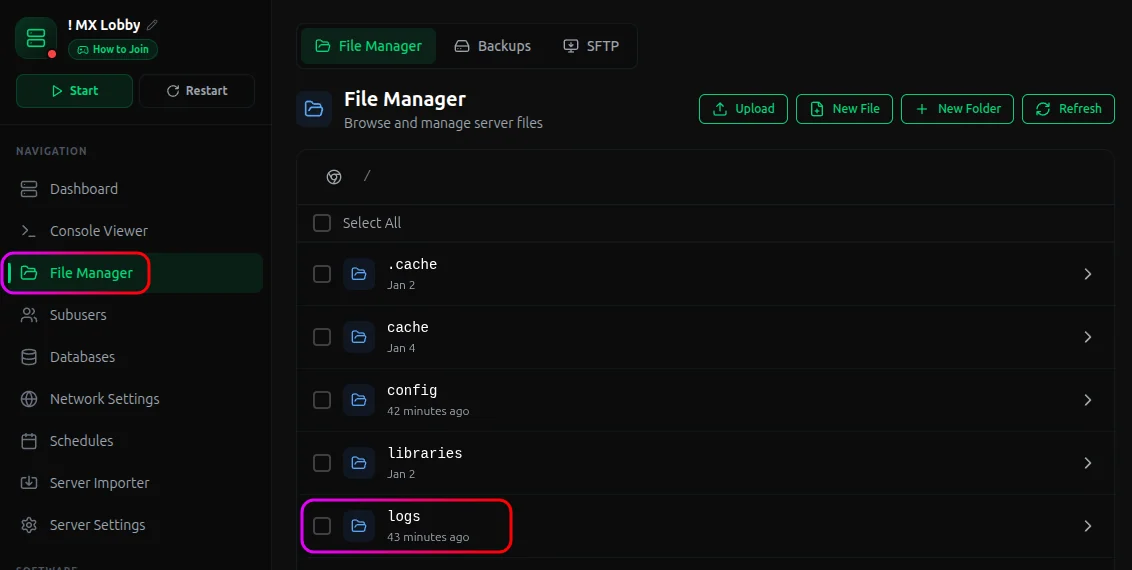
Open the
logsfolder and downloadlatest.log.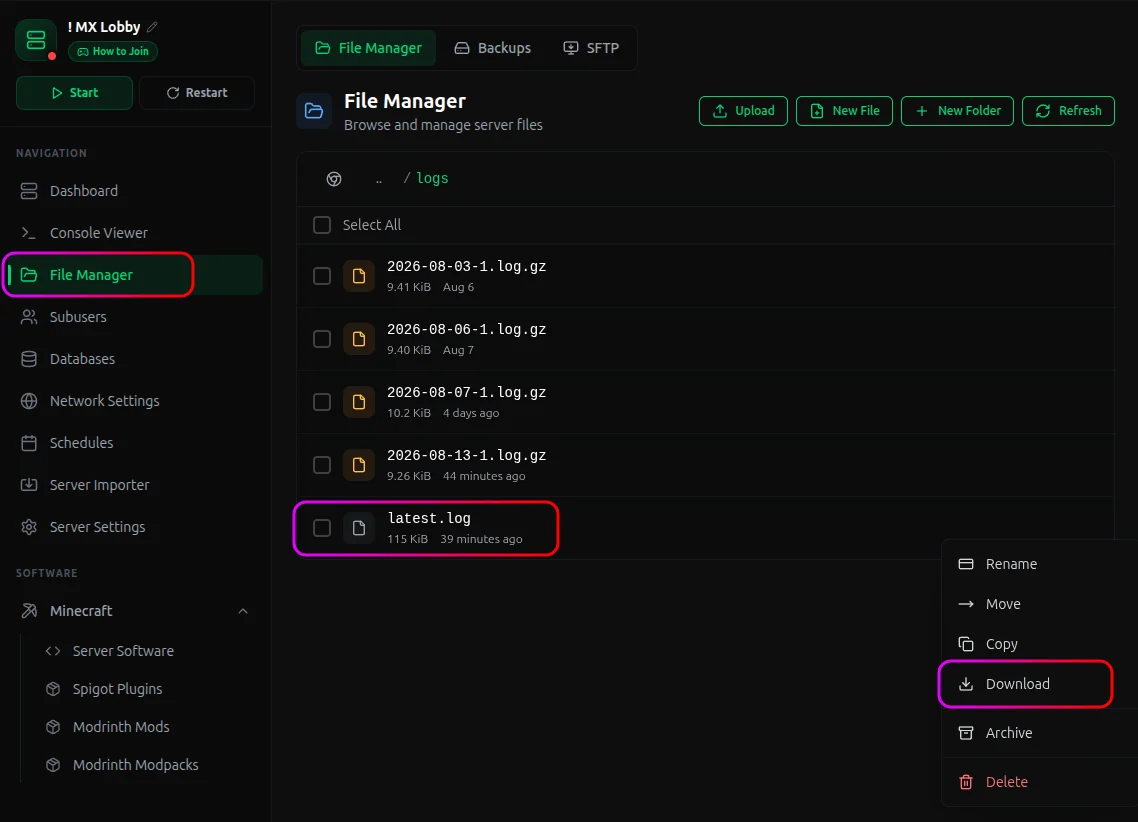
Analyzing Your Log
Head to mcsh.tools/logs and paste your
latest.logcontents into the text area. Hit Load sample first if you want to see how it works.Toggle Scrub IPs & access tokens before analyzing if your log has info you don't want shared.
Click Analyze log, then Save & share to generate a link.
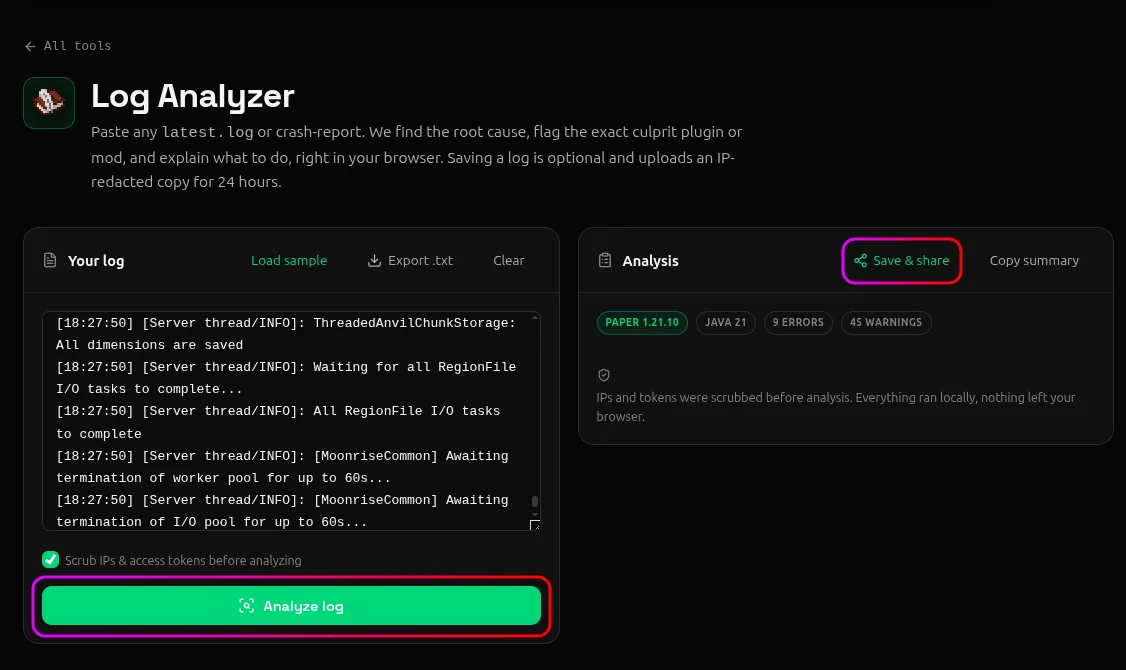
Click Copy link to grab it and send it to our support team or whoever needs it.
Conclusion
Paste your log, analyze, copy the link. No accounts to create, no plugins to install.
If something's wrong with your server, reach out on our Discord server or email support@mcserverhost.com.
Related guides
- How to Migrate your old MCServerHost account.: How to Migrate your old MCServerHost account to the new MCServerHost.
- How to Upload Files to Your MCServerHost Server: Learn how to upload files to your Minecraft server.
- Complete Guide to Server Snapshots on MCServerHost: Learn how MCServerHost Snapshots work, how they differ from backups, and how to create, manage, and restore them safely.
- How to Set Up PL-Hide on Your Minecraft Server: Stop players seeing your plugin list and clean up tab-completion of plugin commands.