How to Install Mods on Your Server
Install mods on your Forge or Fabric server from the panel or by uploading a jar.
Install mods on your Forge or Fabric server from the panel or by uploading a jar.
Mods run on Forge or Fabric servers and change actual gameplay: new items, mechanics, dimensions, and more. Unlike plugins, most mods require players to have the same mod installed on their client to connect. Your server needs to be running Forge or Fabric before you install any mods.
Option 1: Install from the Panel (One Click)
MCServerHost has a built-in Modrinth browser so you can install mods without touching the File Manager:
- Open your server in the MCServerHost dashboard.
- Go to the Mod Installer tab.
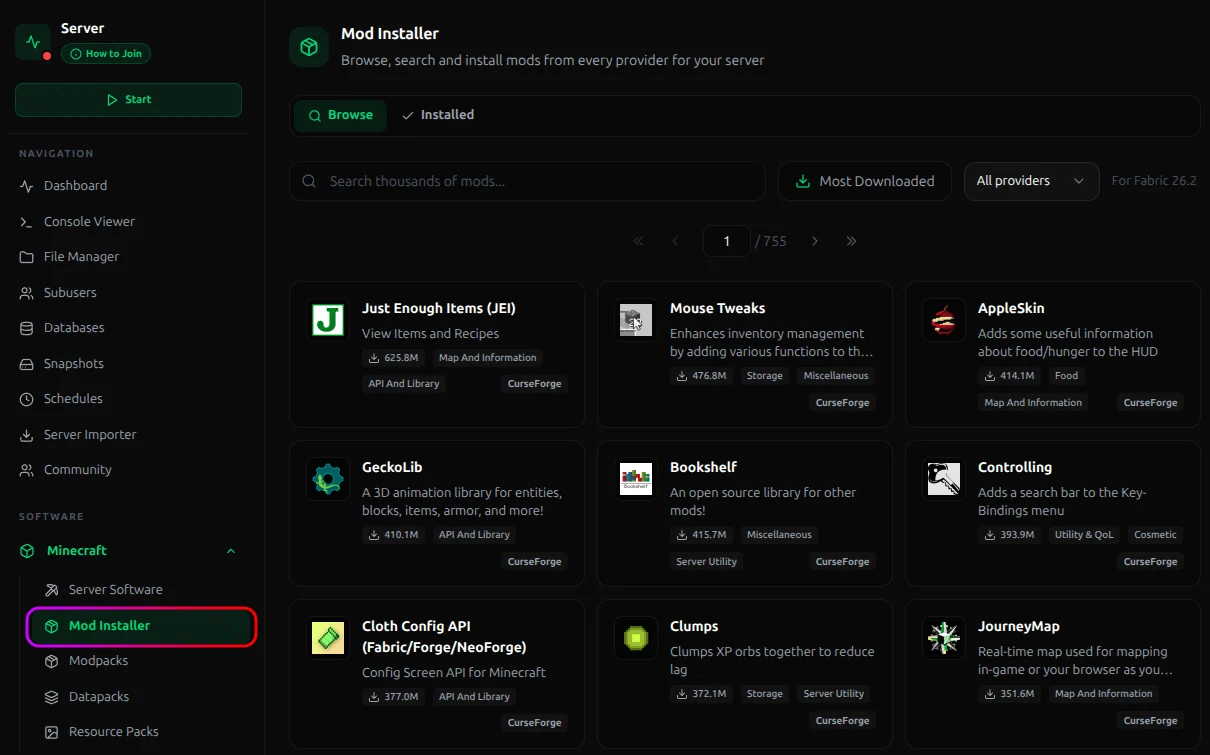
- Search for the mod you want and click Install.
- Restart your server.
Option 2: Upload Manually
If a mod isn't on Modrinth or you prefer managing files yourself:
- Download the
.jarfile from a trusted source (Modrinth, CurseForge, or the mod's official page). - Stop your server from the MCServerHost dashboard.
- Open the File Manager and navigate to the
mods/folder. - Click Upload and select the
.jarfile.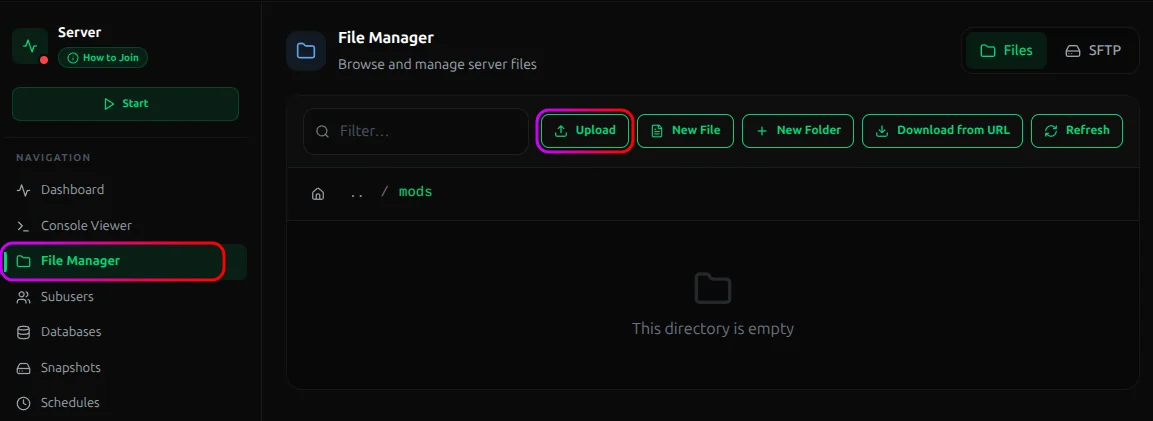
- Start your server.
Before You Install
Check version compatibility. A mod built for Forge 1.20.1 won't load on Fabric 1.21, and a mod for 1.20 won't load on 1.21 even on the same loader. Always match the mod version to your server's exact Minecraft version and loader.
Check for dependencies. Many mods require libraries like Fabric API or Kotlin for Forge. These show up as required dependencies on the mod's download page. Install them the same way before starting the server.
That's it. Either install from the Modrinth panel in one click, or grab the .jar and upload it yourself.
Related guides
- How to Install Plugins on Your Server: Installing plugins on your server is quick and straightforward. This guide covers the two main methods to get your plugins up and running.
- How to Set Up BlueMap on a Minecraft Server: Learn how to set up BlueMap on your Minecraft server.
- How to Set Up DriveBackupV2 on a Minecraft Server: Learn how to configure DriveBackupV2 to automatically back up your Minecraft server.
- How to Set Up MythicMobs on a Minecraft Server: Learn how to install and configure MythicMobs to create custom mobs and bosses on your Minecraft server.