Finding Minecraft Server Performance Issues with Spark
Analyze your Minecraft server in real time and identify lag, CPU load, and performance issues with Spark.
Analyze your Minecraft server in real time and identify lag, CPU load, and performance issues with Spark.
Spark profiles your Minecraft server in real time and generates reports on CPU usage, memory, ticks per second, and thread activity. Most MCServerHost servers ship with it preinstalled.
Installation
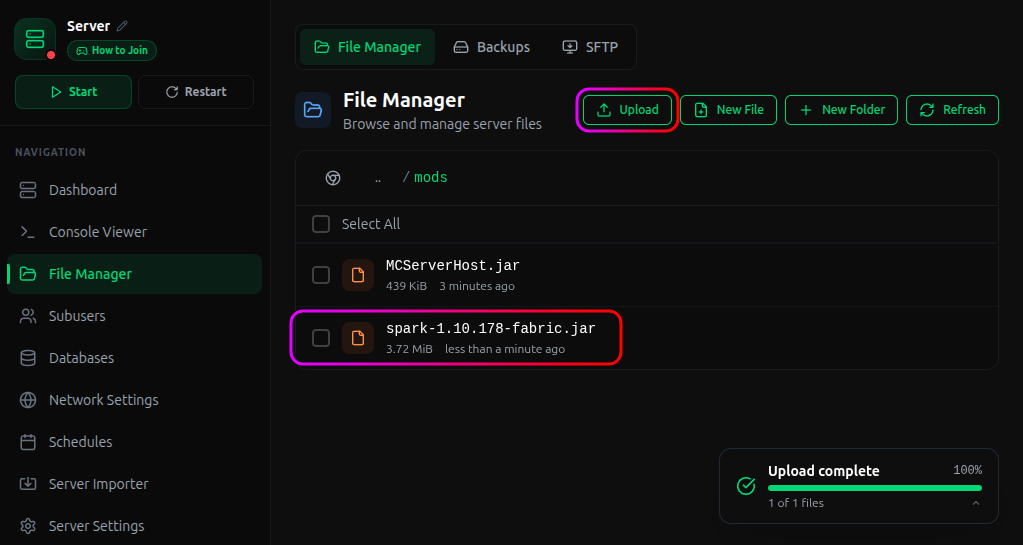
Paper, Purpur, and other Paper-based server software include Spark by default. No install needed. For Spigot, Fabric, or Forge servers, download Spark from spark.lucko.me/download.
- Stop your server from the MCServerHost dashboard.
- Drop the
.jarinto thepluginsfolder (ormodsfor Fabric/Forge). - Start the server. Spark generates its config files on first boot.
Commands
Run these in the server console or as OP in-game:
| Command | What it does |
|---|---|
spark health |
Shows CPU, memory, and active thread counts |
spark profiler start |
Begins recording CPU ticks |
spark profiler stop |
Stops recording and returns a link to the full report |
spark tickmonitor |
Logs individual tick times so you can spot lag spikes |
Let the profiler run for at least 10 minutes before stopping it. A short sample won't catch the spikes you care about.
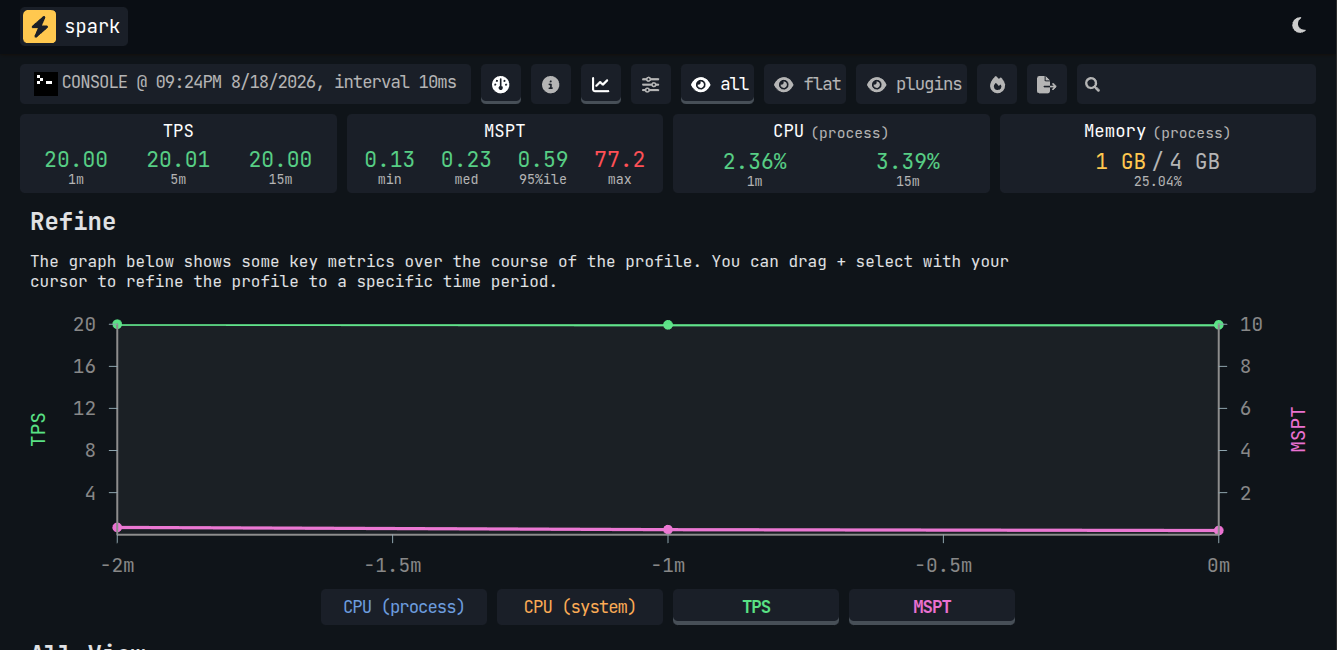
Full command reference: spark.lucko.me/docs/Command-Usage
Conclusion
Spark shows you exactly what's slowing your server down: CPU spikes, memory pressure, chunk lag. Paper-based servers already ship with it.
If you run into issues on MCServerHost, join our Discord server or contact us at support@mcserverhost.com.
Related guides
- How to Set Up a Velocity — Run multiple Minecraft servers behind one address with Velocity and send players to the right backend automatically.
- How to Set Up FlectonePulse on Your Minecraft Server — Customize every chat message, join/quit notification, TAB list, and sidebar on your server with one plugin.
- How to Set Up EssentialsX on Your Minecraft Server — Set up homes, warps, kits, spawn control, and basic moderation with the most popular utility plugin.
- How to Identify Performance Issues on Your Minecraft Server Using Spark — Find out exactly what's causing lag with detailed performance profiling